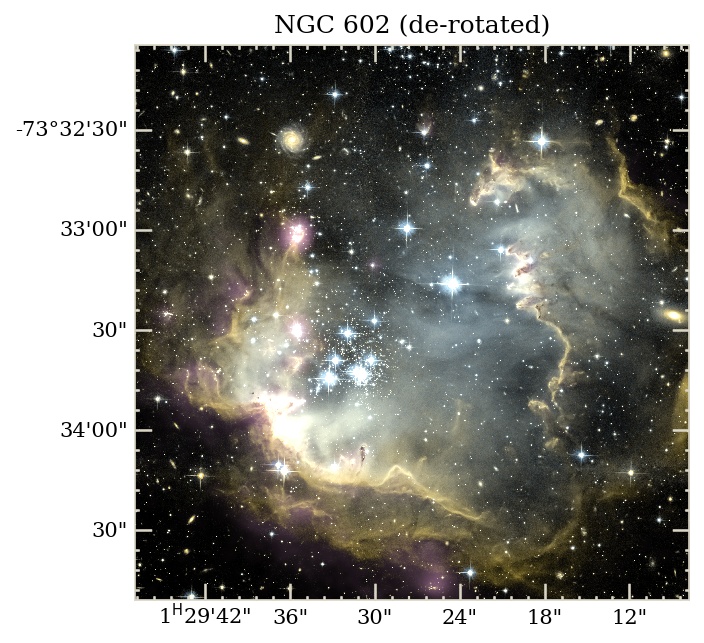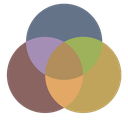
NGC 602 — three bands, one decision#
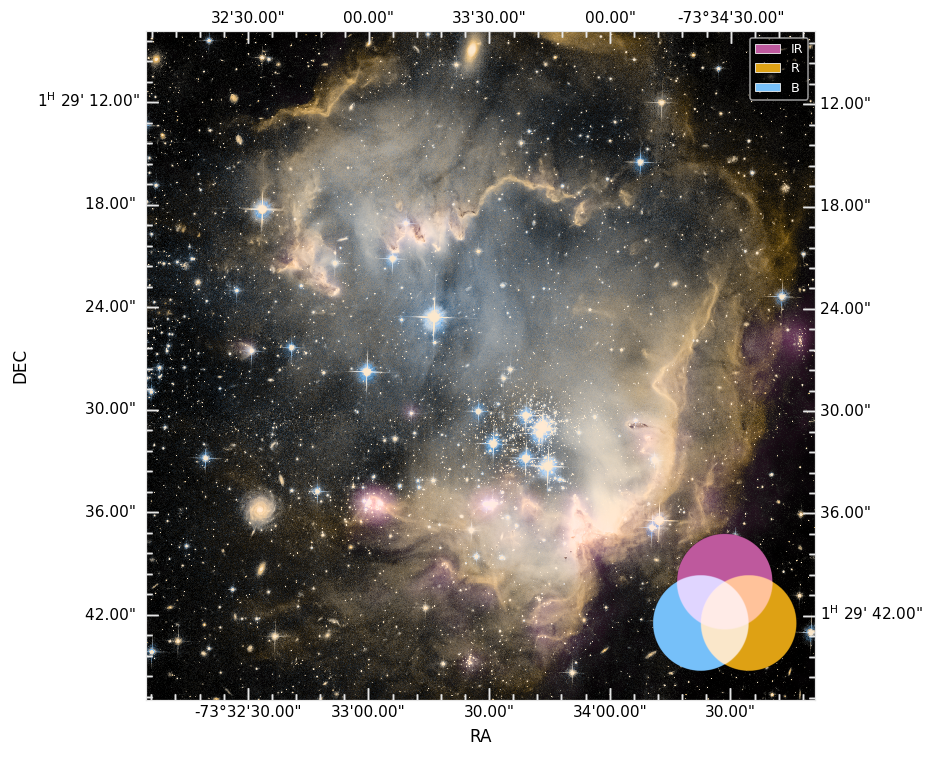
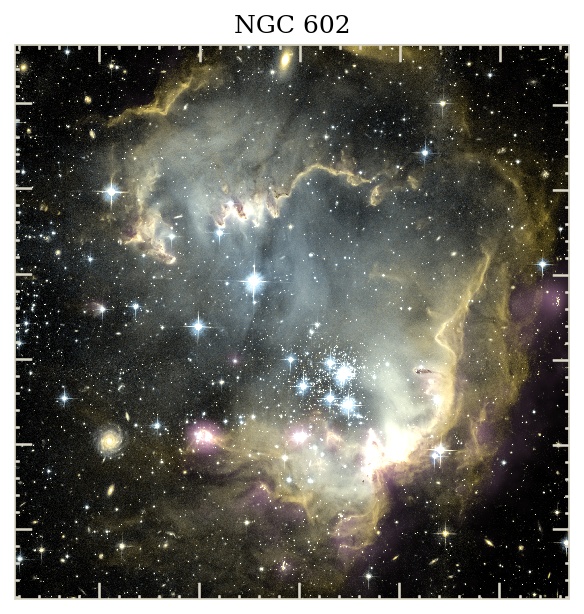
NGC 602 is a young star-forming region in the SMC with freely downloadable multiwavelength FITS from the Chandra OpenFITS page. The IR, R-band, and B-band frames already share a pixel grid, so there is no crop / reproject step — this page is about the color decisions.
You will learn how to:
build a three-color session with a custom palette (purple / orange / blue, not just RGB primaries),
choose between classic RGB summing and Lab / screen compositing — and see the difference on identical layers,
finish and ship the figure: legend, combo swatch, mosaic, PNG / FITS / reproducible script.
Companion notebook: NGC 602 — same pixel grid. Full mode comparison grids: Color-space compositing suite. Concepts: Color compositing.
The whole pipeline in one block#
import multicolorfits as mcf

s = mcf.McfSession(n_panels=3)
s.load_files(
    ['./ngc602_ir.fits', './ngc602_optical_R.fits', './ngc602_optical_B.fits'],
    colors=['#BE599E', '#DEA215', '#77C0F9'],   # purple / orange / blue (POB)
    labels=['IR', 'R', 'B'],
)
s.compose.combine_mode = 'lab'       # the one decision this page teaches
s.compose.combine_blend = 'screen'
s.compose.gamma = 2.2
s.compose.show_legend = True         # which color = which band
s.compose.show_combo_swatch = True   # honest preview of overlap mixing

rgb = s.render_combined()
fig, ax = mcf.make_combined_figure(s, combined=rgb)
fig.savefig('n602_POB_lab.png', dpi=150, bbox_inches='tight')
Why a custom palette at all? With more than three layers — or three layers that should not scream pure red/green/blue — hex colors per band keep the image informative and attractive. The combo swatch (bottom right of the hero) shows how the chosen colors actually mix under the current compositing mode, so the legend never lies.
RGB vs Lab — same layers, same colors#
The single most consequential switch is combine_mode. Classic RGB
sums channels: fast, familiar, higher-contrast — but the sum hard-clips at
white, so the very brightest overlaps lose their hue all at once.
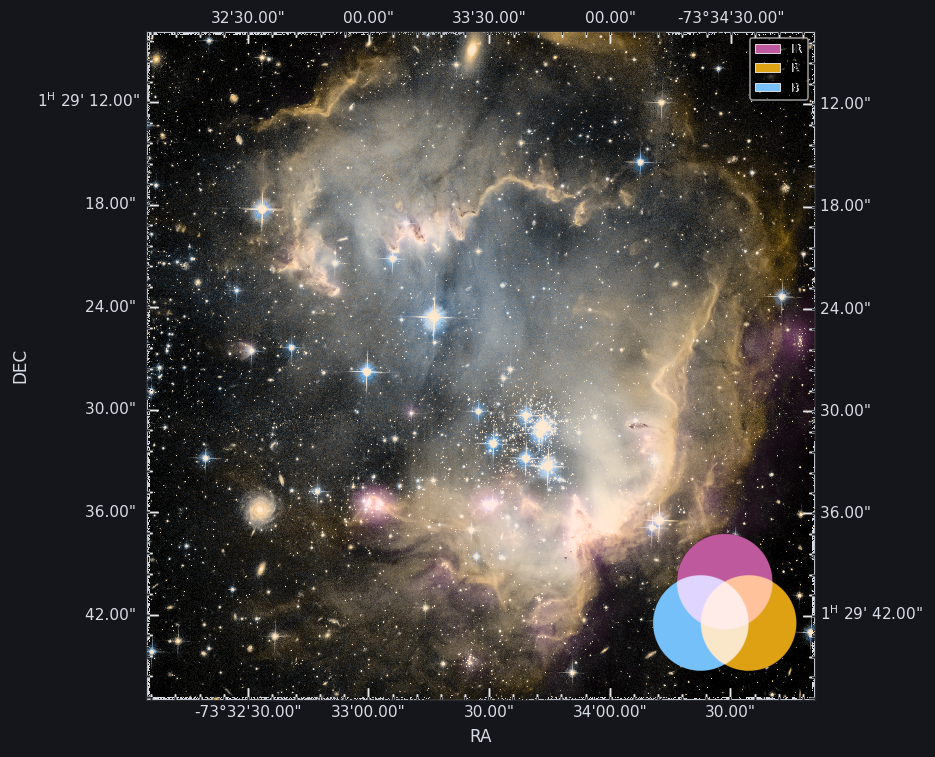
Lab / screen blends lightness in a perceptual space: hue transitions
are smoother and nothing clips abruptly, at the cost of lifting the whole
field — screen blending always brightens, so the Lab panel below reads
paler and more luminous overall.
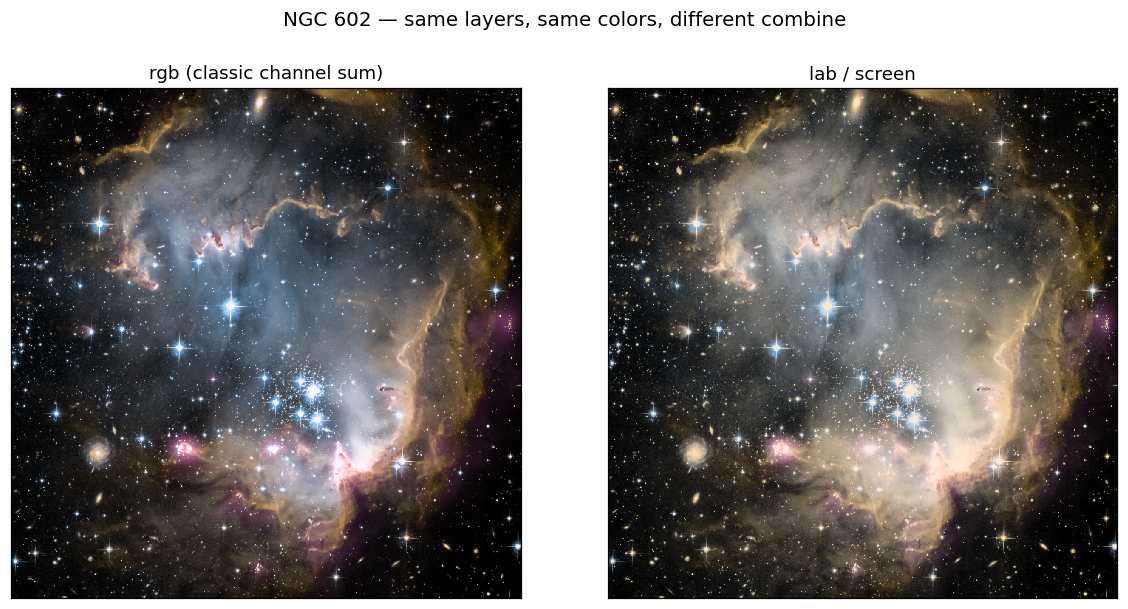
Look at the bright rim and the central cluster: RGB keeps the deep-black sky
and punchy saturation but snaps to white where the shells overlap; Lab/screen
trades some of that contrast for graceful, hue-preserving gradients through
the bright regions. Neither is wrong — RGB matches decades of published
three-color images. If you like Lab’s smoothness but not the extra lift, try
a different blend (combine_blend = 'max' or 'mean' instead of
'screen'). Full grids across modes and blends:
Color-space compositing suite.
Tip
White background for publication? Don’t invert layer colors (the legacy
hex_complement + inverse=True trick). Just set
s.compose.combine_background = 'white' — or 'transparent' for slides
(see M74 — transparent cutouts for slides & stamps).
Show your work — component mosaic#
A conference-ready answer to “what went into this color image?” — the combined hero plus each colorized band on the shared WCS:
fig, axes = mcf.make_component_mosaic(
    s, components='top', max_per_line=3, ticks='plain')
fig.savefig('n602_mosaic.png', dpi=150, bbox_inches='tight')
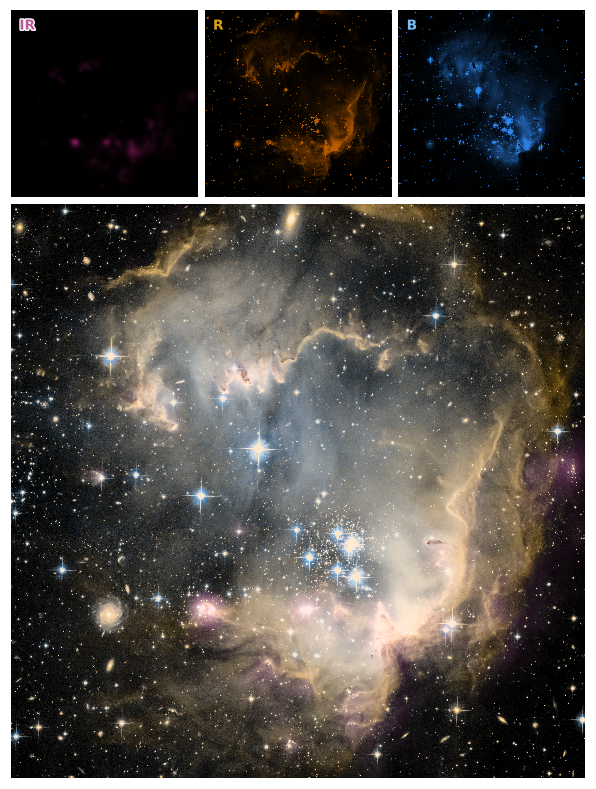
Component titles are automatically tinted with each layer’s color. Layouts, tick modes, and packing: Figures and mosaics.
Note
Rotated WCS: these OpenFITS frames sit ~90° from north-up, which can
make default WCS tick placement look odd. Either accept it (the mosaic above
does), reproject to a north-aligned header (make_simple_header +
CROTA2 = 0 + reproject_image), or use Align layers… in the GUI with
target icrs (needs [reproject]).
Ship it#
fig.savefig('n602_POB_lab.pdf', dpi=300, bbox_inches='tight')  # paper
s.save_rgb_fits('./n602_POB_lab.fits')     # combined cube + provenance HISTORY
print(s.export_script())                   # full-fidelity reproduction script
s.save_state('./n602_session.json')        # resume in GUI or scripts later

# ... or polish interactively and export from the browser GUI:
# mcf.gui(session=s)
Classic low-level API (v2-compatible)#
Stretch → colorize → combine, step by step
The original pipeline remains fully supported and is what the session runs under the hood.
import numpy as np
import astropy.io.fits as pyfits
import multicolorfits as mcf

n602_irdat, n602_irhdr = pyfits.getdata('./ngc602_ir.fits', header=True)
n602_Rdat, n602_Rhdr = pyfits.getdata('./ngc602_optical_R.fits', header=True)
n602_Bdat, n602_Bhdr = pyfits.getdata('./ngc602_optical_B.fits', header=True)

n602_ir_greyRGB = mcf.to_grey_rgb(n602_irdat, rescalefn='linear')
n602_R_greyRGB = mcf.to_grey_rgb(n602_Rdat, rescalefn='linear')
n602_B_greyRGB = mcf.to_grey_rgb(n602_Bdat, rescalefn='linear')

# Colors accept hex / hsv / rgb inputs:
n602_ir_purple = mcf.colorize_image(n602_ir_greyRGB, '#BE599E', colorintype='hex')
n602_R_orange = mcf.colorize_image(n602_R_greyRGB, (0.1169, 0.9054, 0.8706), colorintype='hsv')
n602_B_blue = mcf.colorize_image(n602_B_greyRGB, (119, 192, 249), colorintype='rgb')

n602_POB = mcf.combine_multicolor(
    [n602_ir_purple, n602_R_orange, n602_B_blue], gamma=2.2)

mcf.plot_combined_rgb(
    n602_POB, n602_irhdr, 'NGC 602', './n602_POB.jpg',
    tickcolor='#D9D5C5', labelcolor='k', facecolor='w', minorticks=True)
Any layer count works — two, four, or more:
combined_2color = mcf.combine_multicolor([n602_ir_purple, n602_R_orange], gamma=2.2)
One-shot equivalent of the whole block (Lab / screen):
n602_POB = mcf.combine_layers(
    [n602_irdat, n602_Rdat, n602_Bdat],
    colors=['#BE599E', '#DEA215', '#77C0F9'],
    colorspace='lab', blend='screen', gamma=2.2)
Reprojecting to a north-aligned header
n602_reprojhdr = mcf.make_simple_header(n602_irhdr)
n602_reprojhdr['CROTA2'] = 0
n602_ir_reproj = mcf.reproject_image(n602_irdat, n602_irhdr, n602_reprojhdr)
n602_R_reproj = mcf.reproject_image(n602_Rdat, n602_Rhdr, n602_reprojhdr)
n602_B_reproj = mcf.reproject_image(n602_Bdat, n602_Bhdr, n602_reprojhdr)

n602_POB_reproj = mcf.combine_layers(
    [n602_ir_reproj, n602_R_reproj, n602_B_reproj],
    colors=['#BE599E', '#DEA215', '#77C0F9'],
    colorspace='lab', blend='screen')