
Crab Nebula — palette & compositing gallery#
Same four HST WFPC2 layers (F502N / F547M / F631N / F673N), many looks. Changing colors, the compositing mode (RGB vs Lab / HSL), and the background (black vs white) completely changes the feel of an image — useful for artistic preference, or for figures that need to sit on a light publication page or slide deck.
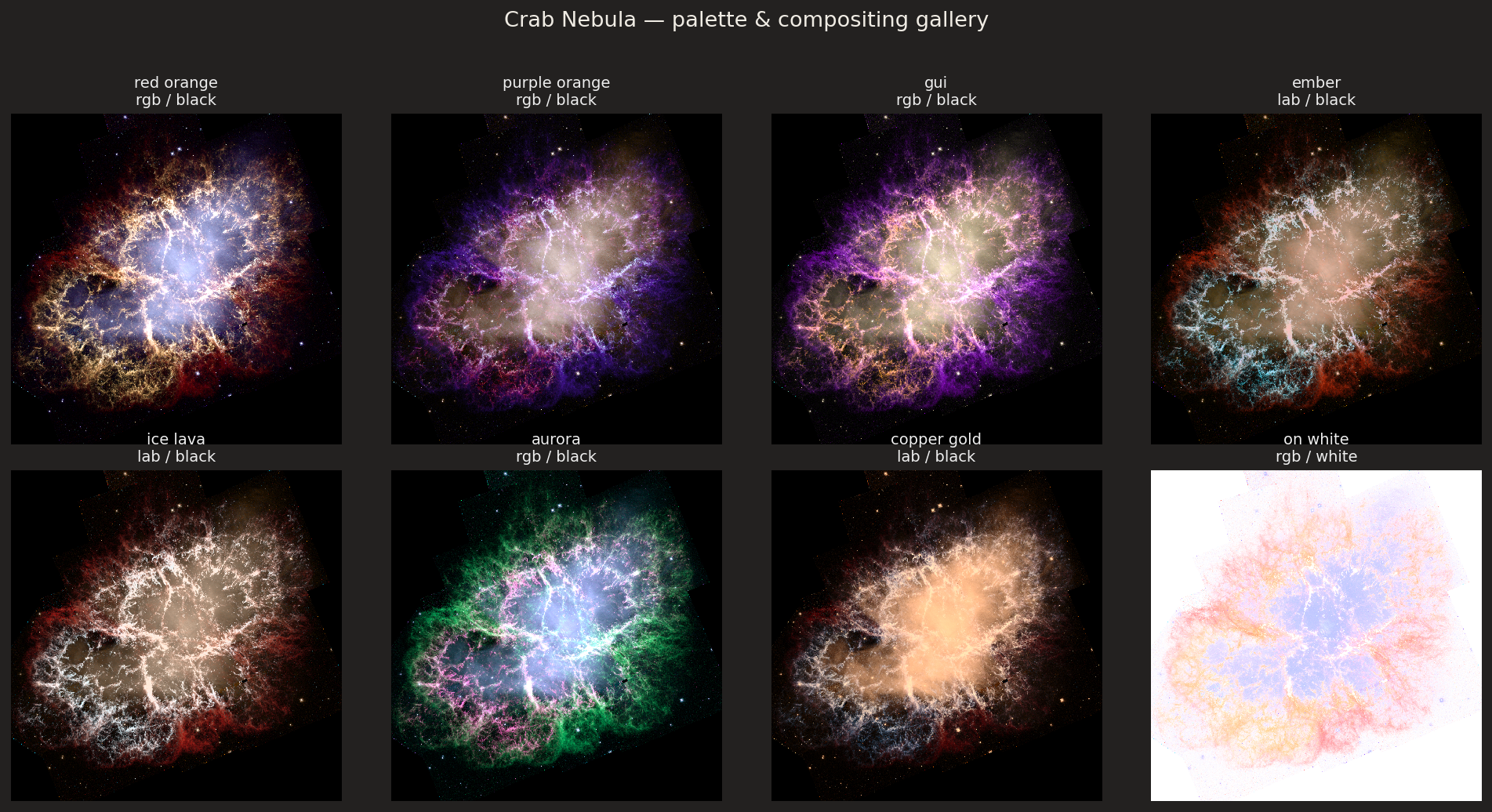
Panel |
Mode |
Notes |
|---|---|---|
red orange |
RGB / black |
Classic |
purple orange |
RGB / black |
Classic |
gui |
RGB / black |
README / Qt splash palette |
ember |
Lab / max |
Warm lava + violet/cyan accents (artistic) |
ice lava |
Lab / max |
Hot filaments on an icy core (artistic) |
aurora |
RGB / black |
Green / teal / violet / pink (artistic; classic additive is more vibrant than Lab) |
copper gold |
Lab / screen |
Warm near-monochrome (artistic) |
sunset |
HSL / screen |
Oranges / violet / blue (artistic) |
on white |
RGB / white |
Same dark1 colors via the alpha Background path — for light slides / papers |
Each stamp is a transparent-sky RGBA cutout built on top of a
black-background composite (so classic RGB recipes keep the same colors as
big_M1_4color_dark1.jpg / dark2.jpg). A soft sky matte
(alpha_smooth=3, alpha_lo≈45, alpha_hi≈82, alpha_gamma=0.7)
clears mosaic-edge junk while keeping the inner filaments opaque.
Note
Earlier cutouts looked neon / blown-out because export_transparent_cutout
forced a transparent compose background, which routes classic RGB through the
alpha compositor and changes the colors. That helper now preserves
black-background math by default (render_background='auto').
Reproduce locally#
Requires a local Crab HST WFPC2 crop directory (same layers as the README splash). With those FITS available:
# Maintainer regenerator (writes stamps + docs/_static/showcase/crab_gallery.png)
python hidden/make_crab_cutouts.py                 # all recipes + gallery
python hidden/make_crab_cutouts.py red_orange ember
# Interactive:
#   mcf.gui(state='…/crab_red_orange_session.json')