
Saving outputs#
Ways to leave a multicolorfits session with publication-ready products.
Rasters#
Build a matplotlib figure (GUI Plot Full Resolution, or
make_combined_figure) and save; the extension selects the format:
from multicolorfits.figures import make_combined_figure

fig, ax = make_combined_figure(session)
fig.savefig('out.png', dpi=300, bbox_inches='tight')
fig.savefig('out.pdf', bbox_inches='tight')
For image-only stamps (no WCS chrome):
session.apply_bare_plot_style(transparent=True)
fig, ax = make_combined_figure(session)
fig.savefig('stamp.png', transparent=True, dpi=200, bbox_inches='tight')
RGB FITS#
session.save_rgb_fits('combined.fits')           # adds provenance HISTORY
# mcf.save_rgb_fits(path, rgb_array, header)       # low-level
GUI Save FITS… can also write annotated combined cubes and per-layer
data/color components with provenance keywords (MCFTYPE, MCFMODE,
MCFBLEND, …).
Transparent cutouts#
For slides with irregular outlines:
rgba = session.export_transparent_cutout(size=400)
# GUI: Export transparent…
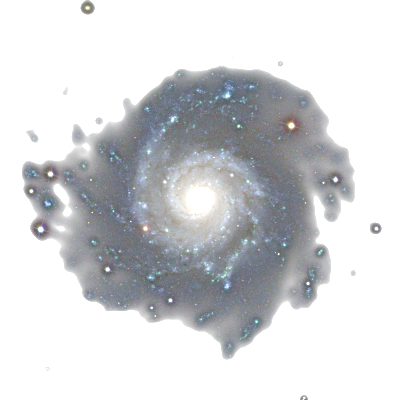
Preview the matte on checkerboard / dark / light before shipping:
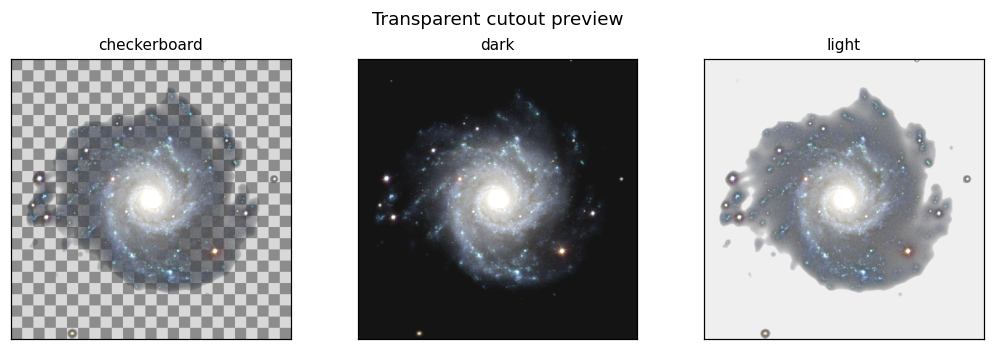
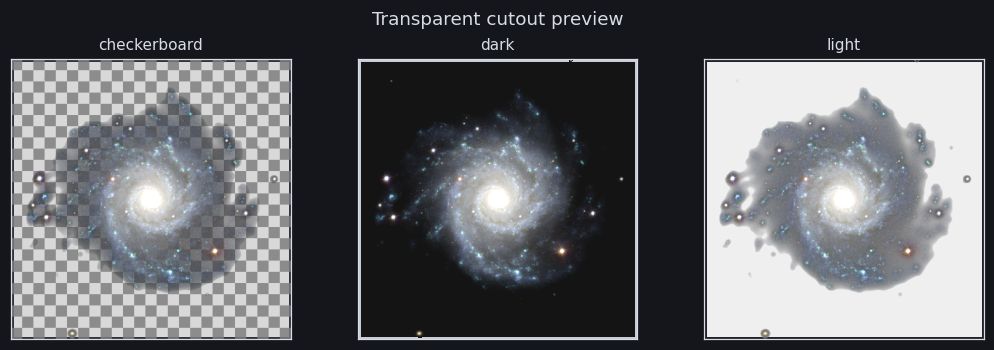
Worked example with fade shaping (alpha_gamma) and deblend helpers:
M74 — transparent cutouts for slides & stamps.
Session JSON and scripts#
session.save_state('session.json')
open('recreate.py', 'w').write(session.export_script())
export_script() replays alignment steps and emits the current PEP 8 names
(not the silent v2 aliases).
Multi-panel figures#
Prefer make_component_mosaic() for a hero +
per-layer strip (see Figures and mosaics). A mosaic export button in
the GUI is deferred; scripting is the supported path.
Tutorial: Save and export.