
Session model#
Both GUIs are thin views over a shared in-memory controller:
McfSession. Scripts can use the same object
without opening a window.
Pieces#
Object |
Role |
|---|---|
|
One image layer: data, header/ |
|
Combined-figure settings: mode, blend, background, gamma, ticks, legend, overlays, … |
|
|
import multicolorfits as mcf

s = mcf.McfSession()                 # default 4 empty panels
s = mcf.McfSession(n_panels=3)

s.load_files(['a.fits', 'b.fits'], colors=['#f00', '#0ff'], labels=['A', 'B'])
s.panels[0].stretch = 'asinh'
s.panels[0].apply_zscale()
s.compose.combine_mode = 'lab'
s.compose.combine_blend = 'screen'

rgb = s.render_combined()
Dynamic panel count#
Defaults match the GUI (4 tabs). Grow or shrink in scripts or via + Add panel / Remove in either GUI (bounds: 1–16):
from multicolorfits import MAX_PANELS, MIN_PANELS  # 16, 1

idx = s.add_panel(color='#88FF88', label='extra')
s.remove_panel(idx)
s.set_n_panels(6)
load_files grows the list when given more paths than current slots.
load_state restores the saved slot count (clamped to MAX_PANELS).
Figure chrome — legend and combo swatch#
Publication figures usually need to say which color is which band, and whether overlap hues are honest for the current combine mode:
s.compose.show_legend = True          # channel → color key
s.compose.show_combo_swatch = True    # overlapping circles using the same mixer
s.compose.show_band_labels = True     # optional text on the image
The combo swatch calls the same combine_colorized_layers path as the main
image, so Lab / RYB / RGB overlaps in the legend match the figure.
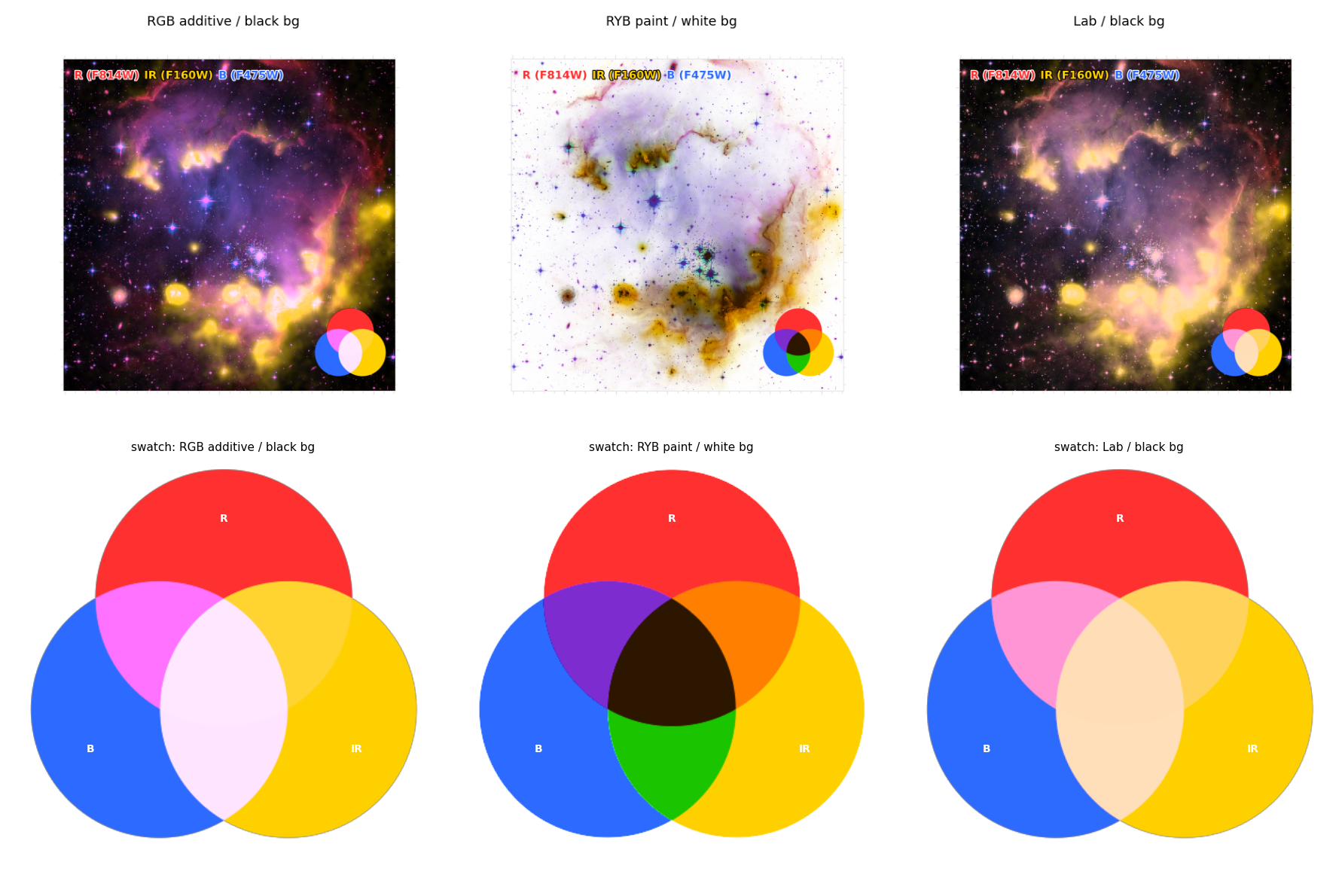
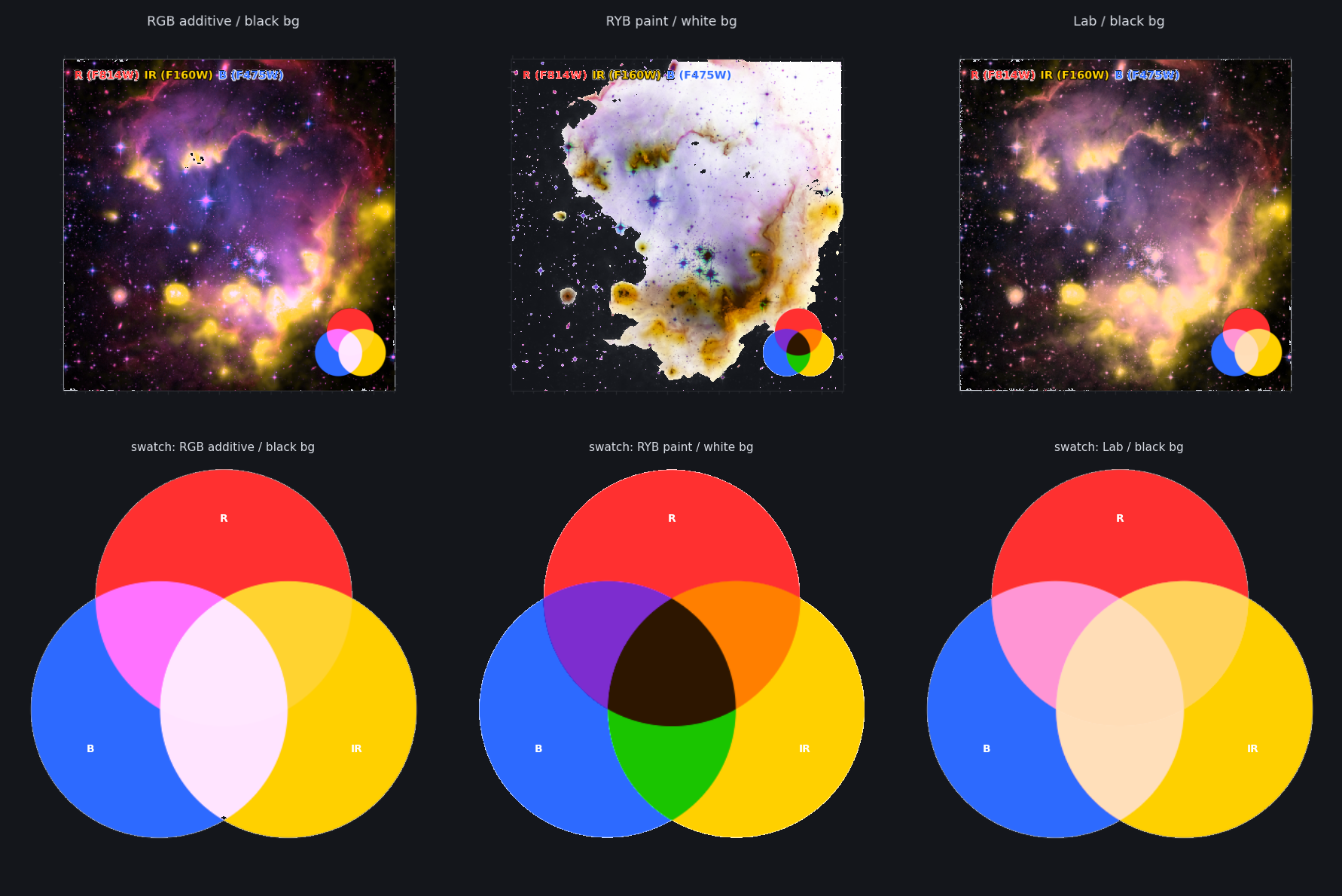
Real-data example with legend + swatch: NGC 602 — three bands, one decision.
Fast preview vs full resolution#
Interactive edits on large FITS should not recompute a full float64 WCS figure on every slider move:
preview = s.render_combined(preview=True)   # float32, longest side ≤ 1024 by default
final = s.render_combined()                 # export / Plot Full Resolution path
Both GUIs keep Fast preview on by default for the combined view; click Plot Full Resolution when you want ticks, overlays, and the arrays used by Save Image / Export Script. See Browser GUI walkthrough.
Palettes and color vision#
print(mcf.list_palettes())
s.apply_palette('pob')                 # purple / orange / blue, etc.
print(s.colorblind_report())           # flag clashes for common CVD types
# or design from scratch:
colors = mcf.suggest_colors(4)
The GUI Colors tab applies curated palettes and shows a live color-vision status. Side-by-side looks on one target: Crab Nebula — palette & compositing gallery.
Persistence#
s.save_state('session.json')     # paths + settings (not pixels)
s.load_state('session.json')
print(s.export_script())         # standalone recreation script
Launch with state:
mcf.gui(state='session.json')
mcf.gui_qt(files=['a.fits', 'b.fits'], colors=['#f00', '#0ff'])
Alignment when grids differ: WCS, headers, and alignment. Tutorials: Session JSON and export script, Save and export.