
Note
This page is generated from a Jupyter notebook.
Download the .ipynb from the sources, or open the paired jupytext
.py under docs/tutorials/.
Backgrounds and RYB paint mixing#
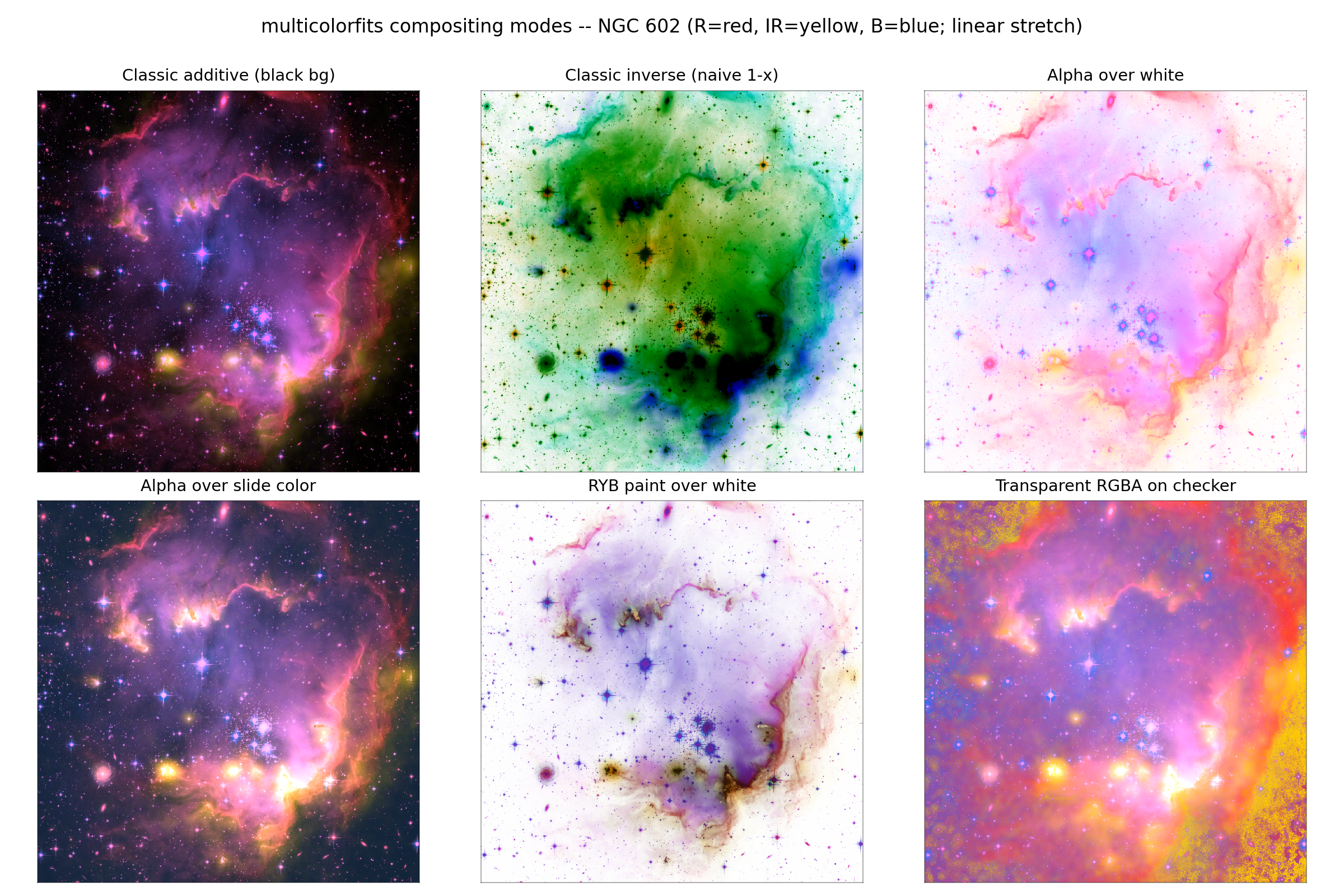
White / transparent canvases and subtractive RYB mixing. Concepts and figures: color compositing. CMYK is API-only in the combine-mode dropdown pending GUI polishing — available as combine_mode='cmyk'.
[ ]:
import multicolorfits as mcf
Backgrounds (preferred over inverse=True)#
Classic combine_multicolor(..., inverse=True) plus hex_complement() was the v2 route to a light canvas. Prefer an explicit background:
s.compose.combine_background = 'white'
s.compose.combine_background = 'transparent'
s.compose.combine_background = '#F5F0E6'   # custom
s.compose.facecolor = 'none'              # transparent figure canvas when saving
In the browser GUI the Compositing tab exposes the same choices (and a side-by-side montage of white / RYB / transparent): gui walkthrough.
RYB (paint-like subtractive)#
s.compose.combine_mode = 'ryb'
# blend is ignored for RYB/CMYK — chroma mixes subtractively
rgb = s.render_combined()
Or with the low-level helpers:
rgb = mcf.combine_colorized_layers(colorized_list, mode='ryb', gamma=2.2)
Yellow + blue → green on the paint wheel (not cyan-ish white as in additive RGB). That is intentional. For additive Lab mixing that keeps hues distinct under bright overlaps, use combine_mode='lab' + combine_blend='screen'.
When to use what#
Goal |
Setting |
|---|---|
General science color composite |
Lab / screen |
Classic channel sum |
RGB ( |
Paint / ink aesthetic |
RYB |
Print-ink invert feel |
CMYK (API) |
Slides with irregular outline |
transparent background + cutout export |
[ ]:
print('Backgrounds + RYB — see docs/guide/color_compositing.md')